
 Log in / Register


CharlieCard Tutorial
Part 1: Order a new CharlieCard card from WageWorks
Ordering via Direct Load Process
Step 1: Log onto your account on www.wageworks.com
Step 2: Click on the "Commuter" link. Next, select "Enroll in Commuter" and then "Commuter Transit." Select "CharlieCard" as the service provider.
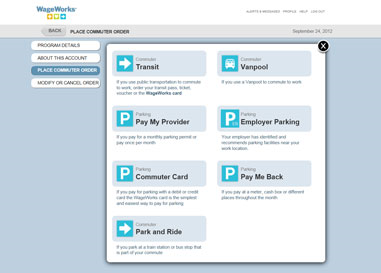
Step 3: Select the NEW CharlieCard option.

Step 4: Choose which pass you want on the CharlieCard
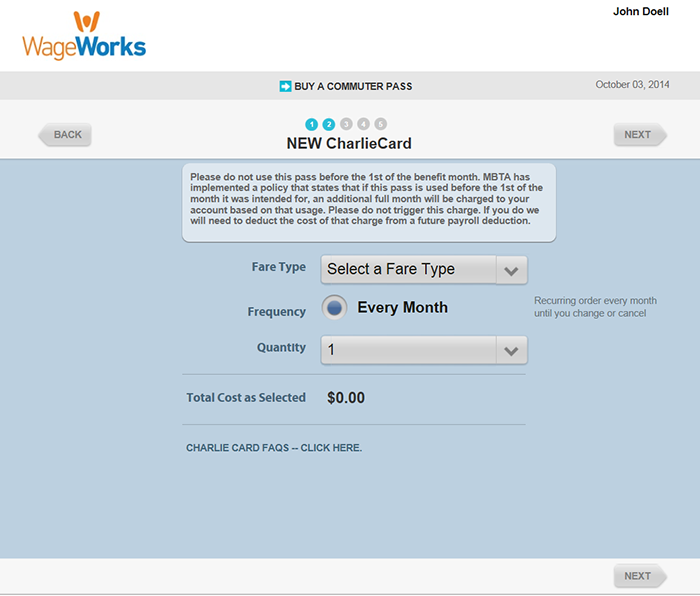
Step 5: Complete your order.
When you complete your order you will be required to sign a terms and conditions box indicating you understand that you should not use your new CharlieCard prior to the 1st of the benefit month for which it was ordered for. You understand that if you do use it prior to the 1st, MBTA will charge for the early usage. That charge will be deducted, in a future payroll deduction.

Timing: Your New CharlieCard will arrive before the intended benefit month you are ordering for.