
 Log in / Register


Metro GoTo Card Direct Load Tutorial
Step 1: Log onto your account on https://participant.wageworks.com/
Step 2: Click on the "Commuter Account" link. Next, select "Place Commuter Order" and then "Commuter Transit." After that, click “Next”. Select "Metro Transit Go-To Card Program" as the service provider.


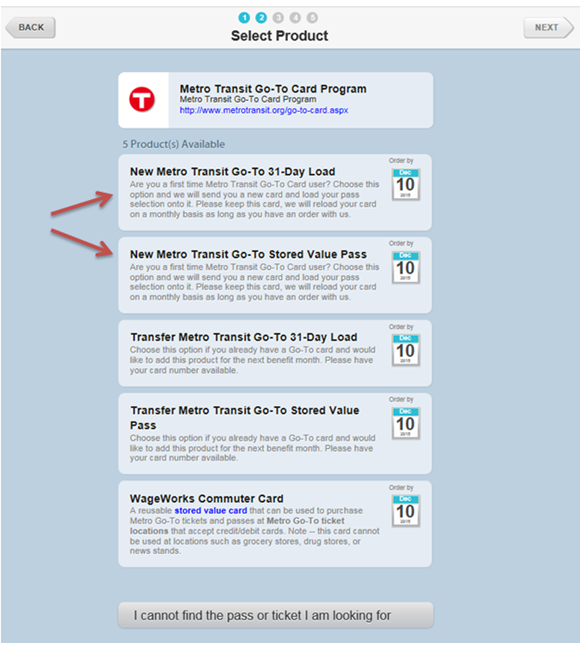
If you have obtained your GoTo card through Metro or if you have a GoTo card previously obtained through WageWorks, please select either the “Transfer” product you wish to elect. Adults (ages 13-64) can buy a Go-To Card online, at 100+ retailers including all Cub Foods stores, at Metro Transit Service Centers and social service agencies or schools.

If you would like WageWorks to send you a brand new card pre-loaded GoTo Card with the product of your choice, please select one of the “New” products.
If you selected the “transfer” option, you will be prompted to enter the serial number of the card you have in your possession. You can then select the product of your choice.

Confirm the information and then click “Next”:

Finally, click “Submit Order”

If you would like WageWorks to send you a brand NEW card, select “New Metro Transit” and follow similar steps.