
 Log in / Register


NJ Transit Tutorial
Part 1 Order a NJ Transit pass from WageWorks
Step 1: Log onto your account on www.wageworks.com
Step 2: Click on the "Commuter" link. Next, select "Enroll in Commuter" and then "Commuter Transit."
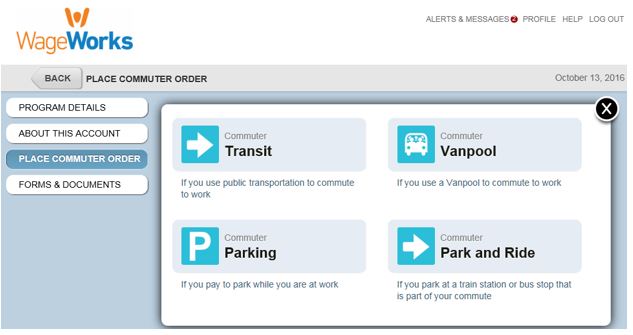
Step 3: Select the NJ Transit operator of your choosing:

Step 4: Select your product and click “next”:

Step 5: Use the drop down boxes to select the specific pass of your choosing and click “next”:

Step 6: Confirm your contact information and click “next”
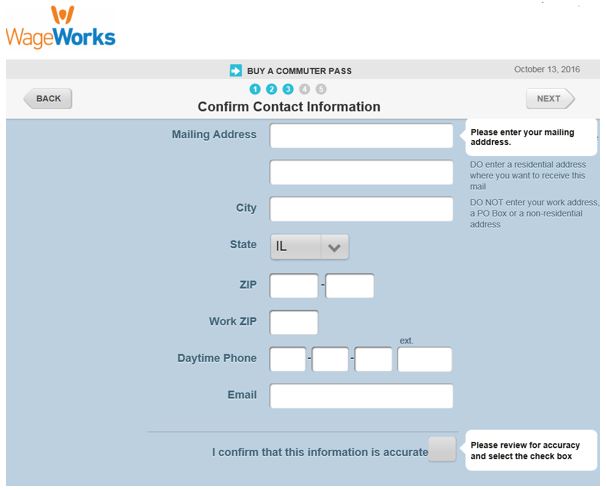
Step 7: Submit your order

WageWorks will send you your pass by the first of the intended benefit month. If you do not receive your pass by the 1st, please reach out to our customer service department at (877) 924-3967.